

Stats
| Engine | Unity |
|---|---|
| Languages | C#, UXML, USS |
| Skills | Unity Editor tooling/scripting, Styling USS, C# Scripting |
Why?
The purpose of this tool is to allow designers, programmers etc easier debugging in the unity workspace. I chose to make this particular tool as Unity Debugging in real time can be rather difficult. This feature is inspired by the watch window in the visual studio debugger which I use endlessly in my debugging outside unity.
The tool allows any custom MonoBehaviour with serializable fields to be ‘watched’ or debugged alongside having the ability to hover over the hierarchy to see the chosen variables.
Features
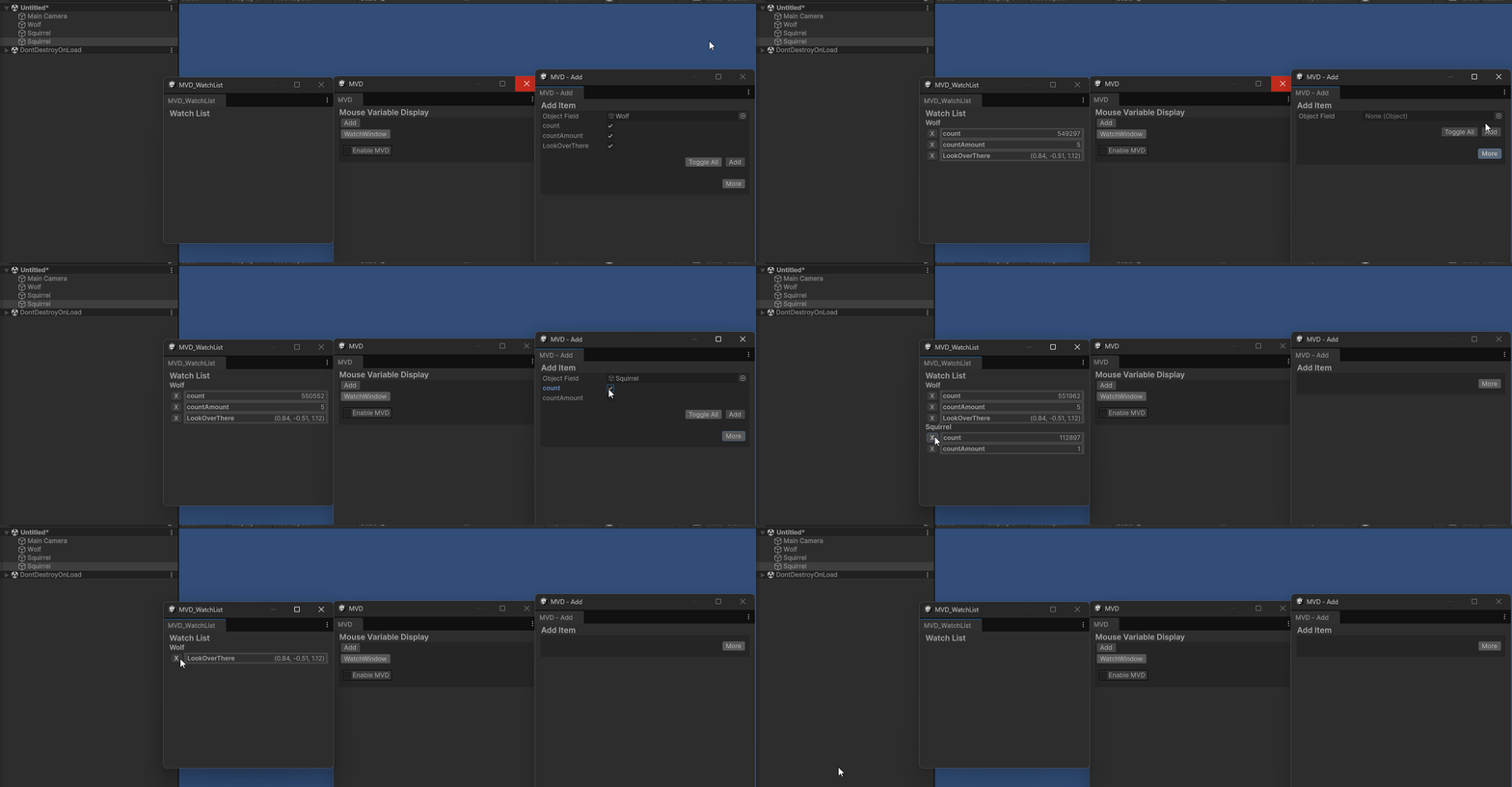
Watch window capable of watching numerous objects
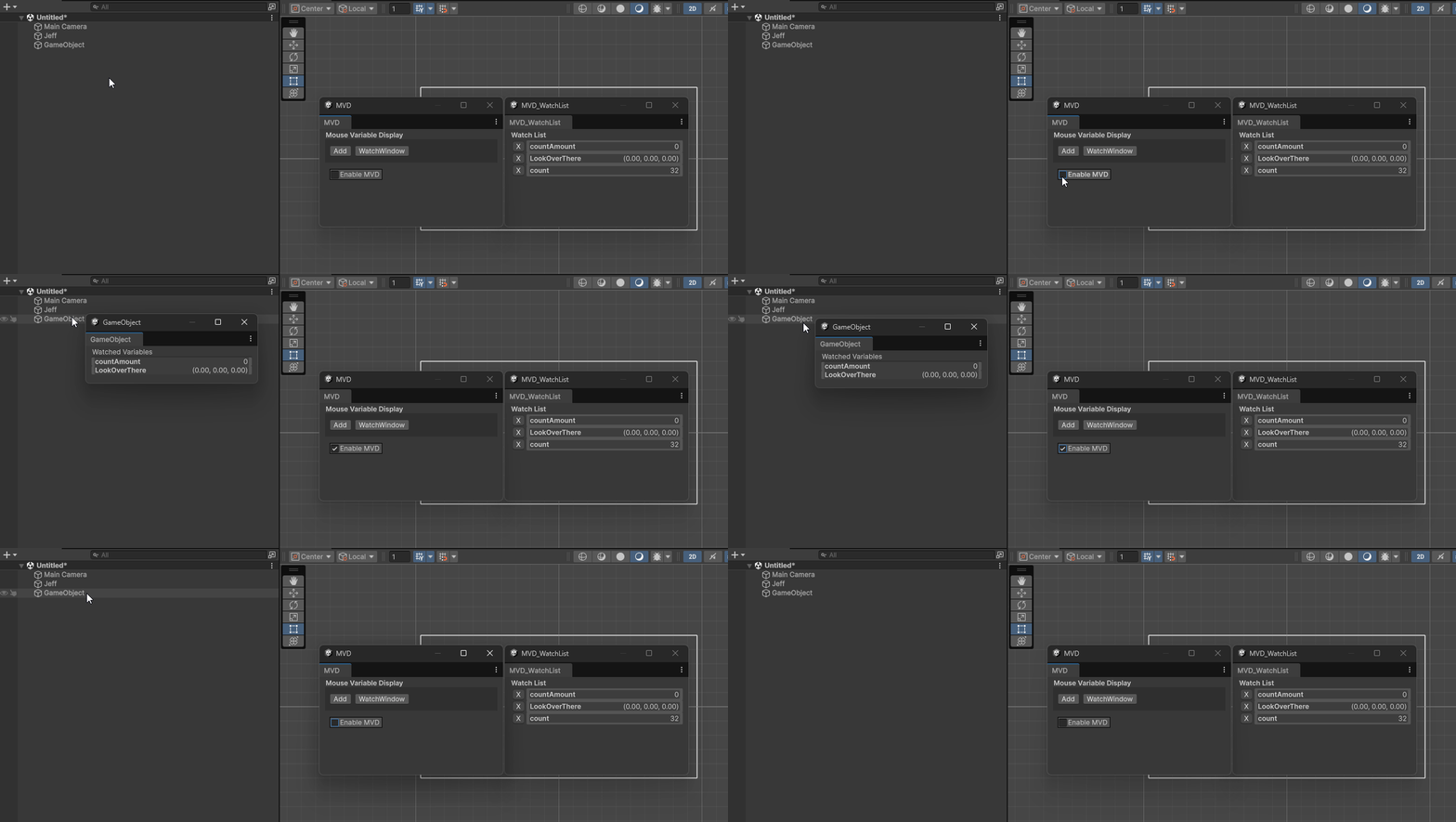
A tooltip when hovering objects in the scene hierarchy
Reflection
I plan on revisiting this project when I get some time and working on it further with some added functionality and changes to some UI elements.
Some changes include Hotkeys - such as for quickly adding something to the watch list or toggling MVD
More functionality - such as a sprite viewer
Multiple watch windows, drag out object out of main watch so you can have multiple easily for example.
Watch all Instance of x or y
These are just some ideas of what I could implement to this project further in the future.